Join a public world
Open Multiplayer, browse the public world list, and join a world that is accepting players.
Quick answer
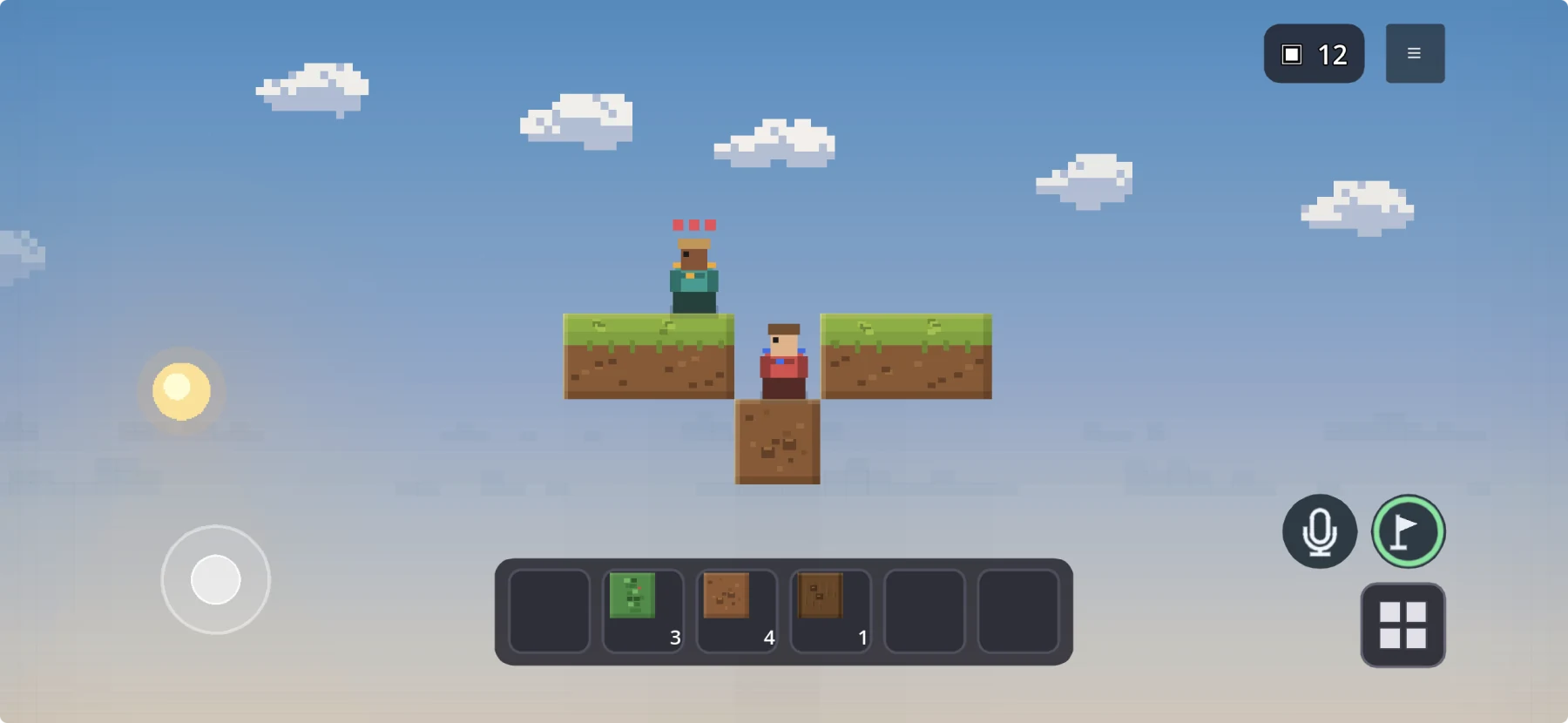
In Minecraft, multiplayer One Block usually starts with a compatible community map and a shared local world, server, or Realm. Tiny Block includes its own 2D One Block mode: install the free game, create a public or invite-code world, and grow it together without finding a separate map or hosting a Minecraft server.
Play together
Open Multiplayer, browse the public world list, and join a world that is accepting players.
Choose an invite-code world when you want to control who can enter.
Send the code to a friend. They enter it in Multiplayer to join the same persistent world.
Split mining, crafting, building, and exploration while proximity voice follows your in-world distance.
Side-by-side
| Step | Minecraft One Block | Tiny Block multiplayer |
|---|---|---|
| Get the game | Buy a compatible Minecraft edition on each required device | Download Tiny Block free on iOS or Android |
| Get One Block | Choose a Marketplace or community One Block map that supports your edition | Start the One Block mode included in Tiny Block |
| Bring a friend | Host locally, configure a server, or create/join a Realm | Open the world publicly or share its invite code |
| Grow the island | Use the map creator's progression and standard Minecraft crafting | Mine, combine materials, craft, grow plants, meet creatures, and unlock generated biomes |
| Talk together | Use the platform's available communication route or a compatible voice solution | Use built-in proximity voice and toggle the microphone on or off |
Why it works
With two players, one person can mine while the other makes safe space, moves liquids, plants trees, or keeps creatures away from the edge.
Tiny Block's One Block world is a built-in mode rather than a third-party Minecraft map. Its progression is designed around Tiny Block discoveries.
New structures and biomes are generated from discoveries, so the shared island develops beyond the first regenerating block.
Questions
Yes. Minecraft players can use a multiplayer-compatible One Block map and shared world. Tiny Block includes a free built-in One Block mode with public and invite-code multiplayer.
That depends on the Minecraft edition and map. Local hosting, a server, or a Realm may be used. Tiny Block does not require you to configure a Minecraft server.
Tiny Block is free to download and play on iOS and Android.
Yes. Tiny Block multiplayer includes proximity voice with a microphone on/off toggle.
Free on web, iOS, and Android
Join a public world or share an invite code, then mine, build, discover, and talk with proximity voice.